
Game Introduction
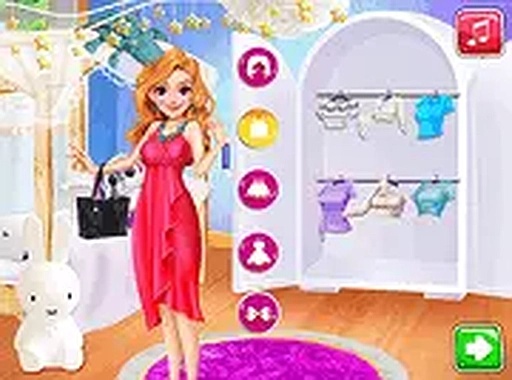
Summer Princess Style Creator invites you to become a stylist for charming princesses during their summer adventures. The game combines makeup application, outfit selection, and selfie creation in one seamless experience. You start by choosing a princess and using virtual makeup tools to enhance her features with lipstick, eyeshadow, blush, and more. Then you explore a wardrobe filled with summer dresses, accessories like hats and jewelry, and footwear to complete the look. Once the princess is dressed, you move to the selfie stage where you pick backgrounds, apply fun filters, and add stickers to make the photo stand out. The game encourages creativity and experimentation, allowing you to try different combinations and see which styles get the most reactions from virtual fans. It runs smoothly in your browser on both mobile and desktop devices, with no downloads needed. This game is suitable for players of all ages who love fashion, beauty, and lighthearted social media themes.
How to Play
How to play Summer Princess Style Creator is straightforward. First, select a princess from the available characters. Use the makeup tools to apply products like lipstick, eyeshadow, and blush to create a fresh summer look. Next, browse the wardrobe to pick a dress that fits the summer theme. Add accessories such as necklaces, hats, or sunglasses to enhance the outfit. After dressing the princess, go to the selfie stage. Choose a background, apply a filter, and place stickers on the photo to make it unique. Finally, share the selfie with virtual fans and see their reactions. The game provides step-by-step guidance, making it easy for beginners to start. You can play in full screen mode for a more immersive experience. Try different styles and combinations to discover what gets the most likes.
Game Features
Game features include: dress-up mechanics with a wide selection of summer outfits. Makeup tools for applying lipstick, eyeshadow, blush, and more. Selfie stage with customizable backgrounds, filters, and stickers. Fan reaction system that shows how much your creation is liked. Full screen mode for better immersion. Browser-based play on mobile and desktop without downloads.
Tips for Success
Why you will like it: This game offers a relaxing and creative outlet for fashion enthusiasts. The step-by-step process makes it easy to enjoy, and the variety of options ensures each play session feels fresh. To get the best reactions from virtual fans, try mixing and matching different clothing and accessories. Experiment with makeup colors that complement the outfit. Use different backgrounds and filters to see which combinations get the most likes. The more you play, the more you'll discover what styles appeal to your audience.





Comments
0 comments