
Game Introduction
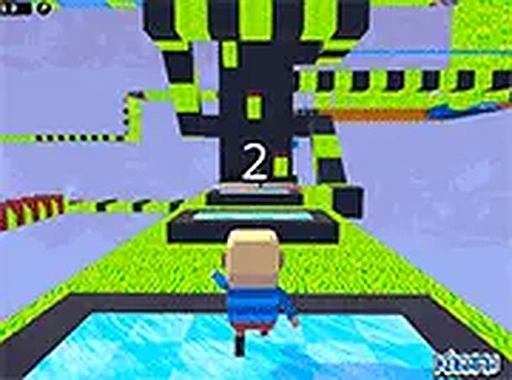
Kogama Parkour 100 Levels is a 3D platform game set in a bright, blocky world. Players guide a character through 100 distinct stages, each presenting new challenges like icy surfaces, moving barriers, and carefully timed leaps. The main objective is to reach the finish point of each level without falling off the path. This game is designed for desktop browsers and offers smooth performance with keyboard and mouse controls. It also includes a player versus player mode where friends can compete to complete courses first. All content is appropriate for children and the game is free to play, requiring no downloads or installations. The colorful visuals and straightforward goal make it easy to understand, while the increasing difficulty keeps the experience engaging for players of various skill levels.
How to Play
To play Kogama Parkour 100 Levels, players use standard keyboard keys to move their character. Movement is controlled with the WASD or arrow keys, and jumping is performed with the spacebar. The mouse allows players to look around the 3D environment. The goal for each level is simple: reach the designated end point. In the PvP mode, the objective is to finish the course before other players. The game can be played in full-screen mode for a more immersive view. While the controls are basic, mastering the timing of jumps and understanding the movement of obstacles requires practice. Players can restart a level at any time if they fall, encouraging repeated attempts to improve performance.
Game Features
Kogama Parkour 100 Levels includes 100 unique levels that gradually increase in difficulty. The stages feature icy platforms and moving obstacles that test a player's timing and precision. A player versus player mode allows for friendly racing competitions. The game is free to play and runs directly in a web browser with no downloads needed. Full-screen support enhances the visual experience. All content is family-safe and free from inappropriate material. The game is designed for desktop computers and responds well to keyboard and mouse input. The variety of level designs provides a fresh challenge at each stage, encouraging players to keep progressing.
Tips for Success
Success in Kogama Parkour 100 Levels comes from practice and patience. Focus on learning the timing of each moving obstacle before attempting a jump. Use short, controlled movements to maintain balance on icy surfaces. In PvP mode, watch the paths of other players to discover efficient routes. Taking a moment to observe a level before moving can help avoid unnecessary falls. Regular practice will improve your reflexes and understanding of the game's physics.








Comments
0 comments