Description
Game Introduction
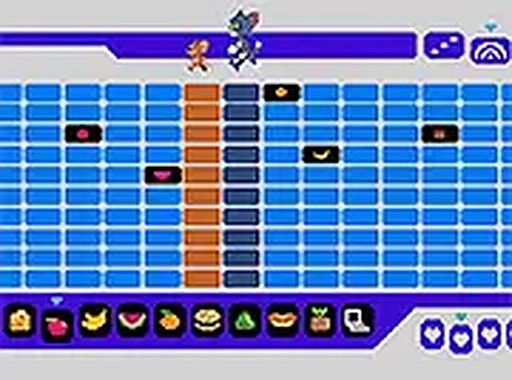
Tom and Jerry Music Creator is a creative online game where players make their own music. In this game, you act like a DJ by placing different objects on a track. Each object, such as fruits or items, makes a unique sound when touched. The characters Tom and Jerry run across the DJ box, and with each step they trigger those sounds. The result is a fun, custom electronic music track that you can play and enjoy. This game is designed to be simple and enjoyable for all ages, encouraging creativity and experimentation with sound. It is a skill-based game that helps players learn about rhythm and music composition in a playful way. The game is inspired by the classic cartoon duo, adding charm and movement to the music-making process. Players can explore endless combinations of sounds by arranging objects in different orders. This makes each session unique and allows for continuous discovery. The game is perfect for families, kids, and anyone who loves music and creativity. It provides a safe, educational, and entertaining experience without any inappropriate content. The core objective is to create pleasing music through trial and error, fostering a sense of accomplishment and artistic expression.
How to Play
To play Tom and Jerry Music Creator, start by choosing sound objects from the selection provided. These objects can be fruits, toys, or other items that each produce a distinct sound. Drag and drop them onto the DJ box track in any order you like. Once placed, watch as Tom and Jerry run across the box, making sounds with each step they take. The sequence of objects determines the beat and melody of the music. You can rearrange the objects to create different rhythms and tunes. The game is easy to learn, with simple drag-and-drop controls that are intuitive for players of all ages. There are no complex rules or time limits, so you can experiment freely. The main goal is to have fun and create music that sounds good to you. You can also listen to your creation and make adjustments by moving objects around. This process helps you understand how different sounds combine to form a complete track. The game encourages you to try new arrangements and discover what works best.
Game Features
Tom and Jerry Music Creator includes fun music creation with simple drag-and-drop controls. The beloved Tom and Jerry characters add charm and movement to the gameplay. There are endless combinations of sounds, keeping the experience fresh and engaging. The game is perfect for kids and families who enjoy music and creativity. It helps develop an ear for rhythm and composition in a playful environment. The interface is colorful and easy to navigate, making it accessible for young players. The game does not require any prior musical knowledge, so anyone can start making music right away. It also encourages experimentation and creative thinking. The sound library includes a variety of objects, each with a unique tone, allowing for diverse musical creations. The game is designed to be replayable, as each new arrangement produces a different result. It is a safe, educational tool that promotes artistic expression without any competitive pressure.
Tips for Success
Experiment with different object placements to discover unique sound combinations. Listen carefully to how each object contributes to the overall beat. Try arranging objects in patterns to create rhythm and melody. Share your music with friends for fun feedback. Practice regularly to improve your timing and creativity. The more you play, the better you will become at crafting pleasing tunes. Don't be afraid to try unusual arrangements, as some of the best music comes from unexpected combinations. Enjoy the process and have fun with the sounds.