
Reviews
Description
Core Gameplay Loop
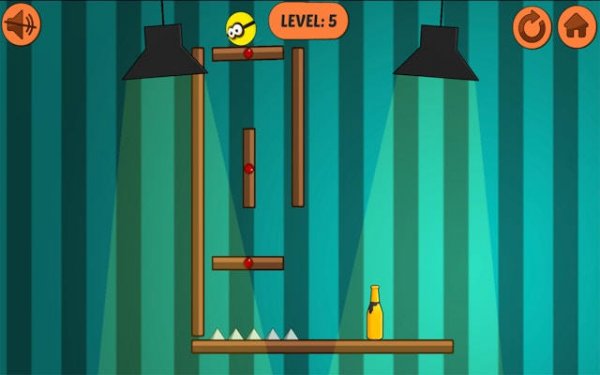
At its heart, Target Tumble presents a straightforward objective: clear a set of arranged targets by launching projectiles with careful aim. The game relies on a physics engine that simulates realistic collisions and momentum. Each shot sends targets scattering in a way that feels both predictable and surprising, rewarding players who take a moment to assess the setup before firing. The controls are minimal—on touchscreens, a tap and drag sets the angle, while on desktop, mouse clicks handle the same task. This simplicity lets the core challenge of precision take center stage.
Visual Style and Atmosphere
The game adopts a bright, clean aesthetic with bold colors and simple shapes. Targets appear in distinct hues against a soft background, making them easy to distinguish even on smaller screens. Animations are smooth but not overly flashy, keeping the focus on the action. The interface uses large, clearly labeled buttons and avoids clutter, which helps younger players navigate without confusion. This visual approach supports the family-friendly tone, ensuring the experience remains inviting rather than overwhelming.
Progression and Difficulty Curve
Early rounds introduce a small number of targets placed in straightforward patterns. As players advance, the arrangements become more complex, with targets positioned at varying distances or partially hidden behind obstacles. The game does not introduce new mechanics abruptly; instead, it gradually increases the need for precise angles and power control. This steady climb in difficulty keeps the gameplay engaging without causing frustration. Players who take time to learn the physics will find later stages manageable, while those who rush may need to repeat earlier levels to build their skills.
Accessibility and Device Support
Built with HTML5, Target Tumble runs directly in a web browser without requiring any software installation. It adapts to different screen sizes automatically, so the same experience works on a phone held in portrait mode, a tablet in landscape, or a desktop monitor. The touch controls respond to taps and drags, while mouse and keyboard inputs offer alternative precision. This universal compatibility means players can switch between devices without losing progress, making it easy to pick up a session wherever they are.
Compatibility
Associated Games

Feline Stealth Reflex Challenge
A clean, family-friendly reflex game that rewards precision over speed. Perfect for quick sessions or longer challenges.
Children's Emoji Tile Matching Game
A delightful and safe matching game for children, featuring cheerful emoji tiles and a relaxing pace.
Soccer Penalty Challenge
A fun, family-friendly penalty shootout game with simple controls and clean graphics. Great for quick play sessions.
Smile Slime Physics Journey
A joyful physics puzzle with a unique time-slow mechanic. Perfect for quick fun.

Quick Hoops Basketball Challenge
A fun and addictive browser game that tests your timing and precision with simple tap controls.

Fluffy Flock Puzzle
A delightful puzzle game with charming sheep and relaxing challenges. Perfect for quick breaks or extended play.
Lost Snack Chase in the Parking Maze
A charming, stress-free puzzle adventure that turns a parking garage into a playful hide-and-seek snack hunt.
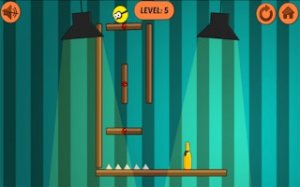
Target Tumble: Family Arcade
A clean, satisfying arcade game that rewards careful aim and patience. Great for quick sessions on any device.
Player Comments
Sign in to comment
You must be logged in before posting a review or rating.
No account? Create one
No comments yet. Be the first to comment!