Penguin Slide Puzzle Challenge

Penguin Slide Puzzle Challenge

Puzzle
RATING
Developer: Paper Shift Works
Published: 2026-02-18
Updated: 2026-06-26

Reviews

Penguin Slide Puzzle Challenge offers a calming yet engaging puzzle experience. With three adorable penguin images and three difficulty modes, it provides good variety for short breaks or longer play sessions. The controls are intuitive on both touch and mouse, and the full-screen option enhances immersion. It's a great choice for anyone looking for a stress-free brain teaser.

Description

Game Introduction

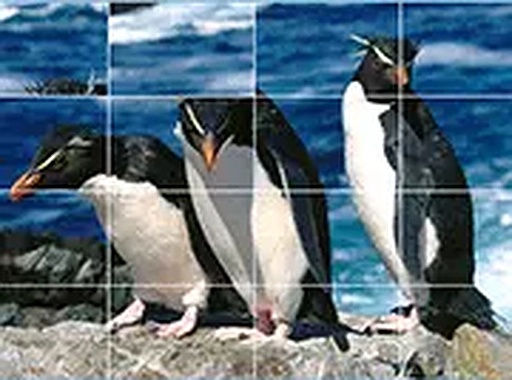
Penguin Slide Puzzle Challenge is a charming and relaxing puzzle experience that invites players to solve sliding puzzles featuring cute penguin images. The core objective is to rearrange scrambled tiles into the correct order by sliding them into an empty space. This game is designed to be accessible and enjoyable for all ages, offering a calm and satisfying mental challenge. Its penguin theme adds a playful and pleasant atmosphere, making it a delightful choice for puzzle enthusiasts and casual gamers alike.

How to Play

To play, you start by selecting one of the three available penguin images. Then, you choose a play mode that determines the difficulty level. The puzzle pieces are scrambled, and your goal is to slide them back into their correct positions. You click or tap on a tile that is next to the empty space to move it. The controls are simple and responsive, working smoothly on both touchscreens and with a mouse. You can also switch to full-screen mode for a more immersive experience. The game adapts to your pace, allowing for short or longer play sessions.

Game Features

The game includes three unique penguin images and three different play modes, offering variety and replayability. It features smooth touch and mouse controls, full-screen support, and runs directly in your browser without any downloads or installations. The game is free to play and works on any modern browser, including on mobile phones, tablets, and desktop computers. Its simple yet engaging mechanics make it suitable for quick breaks or extended puzzle sessions.

Tips for Success

To solve sliding puzzles efficiently, start by focusing on completing one row or column at a time. Plan your moves ahead to avoid getting stuck. Practice regularly to improve your pattern recognition and spatial reasoning. If you find a particular mode too challenging, try a simpler difficulty first to build your skills. Staying patient and methodical will help you solve puzzles more quickly and enjoy the process.

Compatibility

✅ This game supports:
- Desktop browsers (Chrome, Edge, Safari)
- Mobile browsers (Chrome on Android, Safari on iOS)
❌ Does NOT support: - Internet Explorer - Very old browser versions
👉 Try refreshing or updating your browser
Faq
Is Penguin Slide Puzzle Challenge free to play?
Yes, the game is completely free to play. There are no hidden fees or in-app purchases required. You can enjoy all features without any cost.
Can I play Penguin Slide Puzzle Challenge on my mobile phone?
Yes, the game works on any modern browser, including those on mobile phones and tablets. The controls are optimized for touchscreens, making it easy to play on the go.
How many different penguin images are available in the game?
The game includes three unique penguin images to choose from. Each image provides a different visual experience, adding variety to your puzzle-solving sessions.
What difficulty levels are offered in Penguin Slide Puzzle Challenge?
The game features three different play modes, each offering a different difficulty level. This allows you to choose a challenge that matches your skill, from easier puzzles to more complex ones.
Do I need to download any software to play Penguin Slide Puzzle Challenge?
No download or installation is required. The game runs directly in your web browser, so you can start playing immediately. Just visit the game page and begin.
Can I play Penguin Slide Puzzle Challenge in full-screen mode?
Yes, the game supports full-screen mode for a more immersive experience. You can easily switch to full-screen with a simple click or tap, depending on your device.
Advertisement