Merge the Cats Puzzle Game

Merge the Cats Puzzle Game

RATING
Developer: Entrance Interactive
Published: 2025-05-18
Updated: 2026-06-12

Reviews

Merge the Cats delivers a clean and relaxing puzzle experience. The core mechanic of merging three identical cats is simple to understand but offers enough depth to keep you engaged through chain reactions. The cute cat themes add visual appeal without being distracting. It is ideal for short breaks or longer play, with no pressure to rush. The game runs smoothly in the browser and is family-friendly. Replay value comes from trying to achieve higher scores and larger merges.

Description

Game Introduction

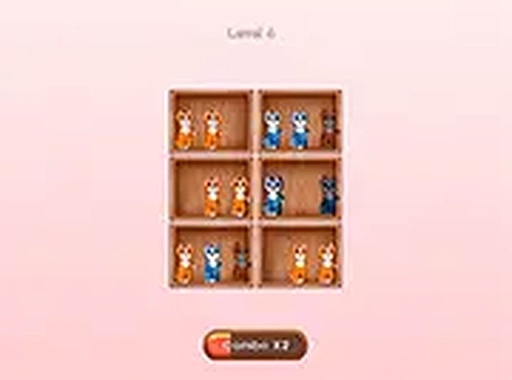
Merge the Cats is a delightful puzzle game that brings together cute cats and engaging challenges. In this game, your goal is to collect three identical cats and merge them into a new one. Each successful merge earns you points and brings you closer to the biggest bonus. The game is designed to be simple yet addictive, offering hours of fun for players of all ages. With its charming cat graphics and intuitive gameplay, Merge the Cats is perfect for anyone looking for a relaxing yet stimulating puzzle experience. Play it directly in your browser and start merging today!

How to Play

To play Merge the Cats, use your mouse or keyboard to select and move cats on the game board. Find three identical cats and bring them together to trigger a merge. Each merge creates a new cat and adds to your score. Plan your moves carefully to create chain reactions and maximize your bonuses. The game is easy to pick up but offers enough depth to keep you engaged. No downloads or installations are needed—just open your browser and start playing. For a more immersive experience, use the full screen mode to focus on the puzzle.

Game Features

Fun and family-friendly puzzle gameplay with cute cat themes. Simple controls that work with mouse or keyboard. Chain reactions create bonus opportunities. No downloads required, play directly in your browser. Full screen mode available for focused play.

Tips for Success

To succeed in Merge the Cats, focus on planning your moves ahead to set up chain reactions. Try to keep the board organized by merging cats as soon as possible to free up space. Practice regularly to improve your pattern recognition and speed. Taking short breaks can help maintain concentration during longer sessions. Enjoy the process and don't rush—each merge brings satisfaction and progress.


Compatibility

• OS: Windows 10+, macOS 11+, iOS 14+, Android 10+
• Browsers: Chrome 100+, Safari 15+, Edge 100+, Firefox 100+
• Not compatible with Internet Explorer
Tested on real devices ✅ works as expected
Faq
Is Merge the Cats free to play?
Yes, the game is free to play directly in your browser without any downloads or installations. It is designed to be accessible to everyone, and you can start merging cats immediately upon visiting the game page.
Can I play Merge the Cats on mobile devices?
The game is browser-based, so it may work on mobile devices that support modern web browsers. However, the controls are optimized for mouse and keyboard, so touchscreen functionality might vary depending on your device.
Does Merge the Cats have different difficulty levels?
The game does not explicitly mention difficulty levels, but puzzle games of this type often increase challenge as you progress. You can expect the gameplay to become more complex as you achieve higher scores and unlock new merges.
How many different cat types are there in the game?
The exact number of cat types is not specified, but based on the merge mechanic, there are likely several unique cat designs that appear as you combine identical cats. Each merge may introduce a new cat with a different appearance.
Is there a time limit in Merge the Cats?
The game description does not mention a time limit, so it is likely a relaxed puzzle experience where you can take your time to plan each move. This makes it suitable for casual play during short breaks.
Can I save my progress in Merge the Cats?
Since the game is browser-based, progress may be saved automatically through browser cookies or local storage. However, clearing your browser data could reset your progress, so it's best to check the game's settings for save options.
Advertisement