Titans Tower Logic Puzzle

Titans Tower Logic Puzzle

Puzzle
RATING
Developer: Copper Weaver Works
Published: 2025-01-28
Updated: 2026-07-04

Reviews

Titans Tower Logic Puzzle offers a wonderful blend of brain-teasing puzzles and the beloved Teen Titans Go humor. The increasing difficulty keeps players engaged without becoming frustrating. Colorful graphics and playful sounds make it a joy for kids and fans alike. It is a safe, free online experience that provides hours of fun.

Description

Game Introduction

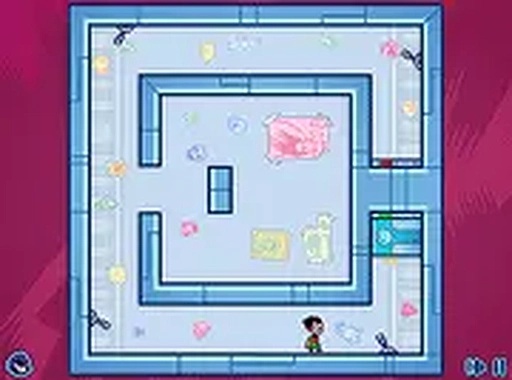
Titans Tower Logic Puzzle is an online puzzle-platform game set in the Teen Titans Go animated series universe. The Titans Tower is locked down, and players help Robin navigate its halls to reach the top. The core objective is to solve clever puzzles, collect keys, and open doors to progress. Each level presents a new challenge that requires logic and timing. The game captures the fun, lighthearted spirit of the show with colorful graphics and playful sounds. It is a safe, family-friendly adventure perfect for kids and fans of the series. Play for free online and enjoy hours of brain-teasing fun.

How to Play

Players typically control Robin using keyboard inputs to move around the tower. The goal is to find a key in each level and bring it to the locked door to advance. Some puzzles may involve moving blocks, pressing switches, or timing jumps carefully. Pay attention to the environment and plan your moves. The game is easy to pick up but offers increasing difficulty as you progress. For the best experience, play on a computer with a keyboard. Full screen mode is available for a more immersive adventure.

Game Features

Fun puzzle-platform gameplay with beloved Teen Titans characters. Increasing difficulty keeps the game challenging. Colorful graphics and playful sounds match the show. Free to play online with no downloads required. Full screen mode for an immersive experience. The game combines brain-teasing puzzles with the humor of the TV show, making it a safe, enjoyable experience for players of all ages.

Tips for Success

Take your time to observe each level before making moves. Look for patterns in obstacles and switches. Practice timing your jumps carefully, as some puzzles require precise movement. If you get stuck, try a different approach or revisit earlier levels to sharpen your skills. Staying patient and thinking logically will help you overcome challenges. Regular practice will improve your puzzle-solving speed and accuracy.


Compatibility

• OS: Windows 10+, macOS 11+, iOS 14+, Android 10+
• Browsers: Chrome 100+, Safari 15+, Edge 100+, Firefox 100+
• Not compatible with Internet Explorer
Tested on real devices ✅ works as expected
Faq
Is Titans Tower Logic Puzzle available on mobile devices?
The game is designed for play on a computer with a keyboard for the best experience. It may not be fully optimized for mobile touchscreens, but you can try accessing it through a mobile browser to see if it works on your device.
Do I need to create an account to play Titans Tower Logic Puzzle?
No account is required. The game is free to play online directly in your web browser. Simply visit the game page and start playing immediately without any registration or download.
Are there any in-game purchases or ads in Titans Tower Logic Puzzle?
The game is free to play with no downloads needed. It may include standard online ads as part of the free experience, but there are no required purchases to access any content or levels.
How many levels are in Titans Tower Logic Puzzle?
The exact number of levels is not specified, but the game offers increasing difficulty as you progress through the tower. Players can expect a series of challenging puzzles that gradually become more complex.
Can I play Titans Tower Logic Puzzle with friends or family?
The game is designed as a single-player experience where you control Robin. However, you can take turns with friends or family members on the same device, making it a fun activity to share.
What should I do if the game is not loading or running slowly?
Ensure you have a stable internet connection and try refreshing the page. Using a modern web browser like Chrome or Firefox can help. If issues persist, check that your browser is updated and try clearing your cache.
Advertisement