Hoverbear Reflex Arcade Game

Hoverbear Reflex Arcade Game

RATING
Developer: Amaze Wanderer Games
Published: 2024-11-02
Updated: 2026-06-06

Reviews

Hoverbear excels at delivering a pure reflex challenge. The controls are responsive, and the gradual speed increase keeps each round fresh. It is easy to pick up but hard to master, encouraging repeated attempts to beat your high score. The lack of ads or paywalls makes it a pleasant experience for casual players. A solid choice for anyone wanting a quick, engaging brain break.

Description

Game Introduction

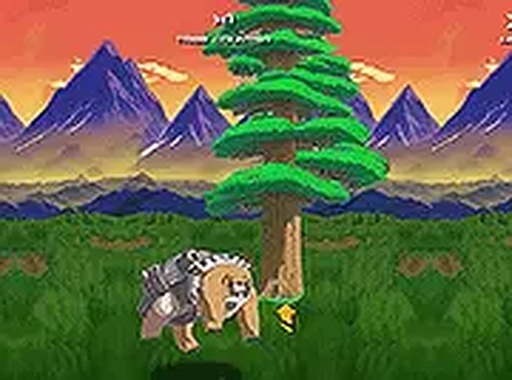
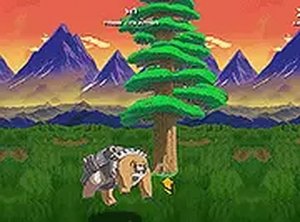
Hoverbear puts you in control of a flying bear navigating a dense forest. The core objective is straightforward: avoid the trees that appear in your path. Each successful dodge adds to your score, and the game speeds up gradually, demanding quicker reactions. This free browser game requires no downloads and works seamlessly on both desktop and mobile devices. The simple premise makes it accessible to players of all ages, while the increasing difficulty keeps even experienced gamers engaged. Whether you have a minute or an hour, Hoverbear provides a satisfying test of timing and focus.

How to Play

Getting started is easy. On a computer, use the mouse or keyboard arrows to move the bear left or right. On a touchscreen, tap or swipe to guide it. The bear moves automatically forward, so your only task is to steer clear of the trees. Each tree avoided adds one point to your score. The game ends when you collide with a tree. For a more immersive view, activate full screen mode. There are no complex controls or tutorials to learn, just pure reflex-based action.

Game Features

Features include: fast-paced reflex challenge that increases in speed. Free to play with no downloads or registration required. Supports both desktop and mobile browsers. Full screen mode for focused gameplay. Simple one-touch controls suitable for all ages.

Tips for Success

To succeed in Hoverbear, focus on anticipating the trees as they appear. Stay calm and make small, precise movements to avoid overcorrecting. Practice regularly to improve your reaction time. As the speed increases, try to keep your eyes focused on the center of the screen to spot obstacles early. Taking short breaks can help maintain concentration during longer sessions.

Compatibility

✅ Works on PC & Mobile | Recommended: Chrome / Safari / Edge
Faq
Is Hoverbear free to play?
Yes, Hoverbear is a free browser game. There are no costs, downloads, or registration required to play. You can simply open it in your browser and start playing immediately.
Can I play Hoverbear on my phone?
Yes, Hoverbear works on both desktop and mobile devices. On a touchscreen, you can tap or swipe to guide the bear. It is optimized for seamless play across different screen sizes.
What happens when I hit a tree?
When you collide with a tree, the game ends. Your score is based on the number of trees you successfully avoided. You can then restart and try to beat your previous score.
Does the game get harder over time?
Yes, the game gradually speeds up as you progress. This increasing difficulty requires quicker reactions and sharper focus, keeping the challenge engaging even for experienced players.
Do I need to create an account to play?
No, you do not need to create an account or provide any personal information. Hoverbear is designed for instant play with no registration or login required.
Can I play Hoverbear in full screen?
Yes, you can activate full screen mode for a more immersive experience. This helps you focus on the obstacles and can be especially useful as the game speed increases.
Advertisement