Tom and Jerry Music Maker

Tom and Jerry Music Maker

RATING
Developer: Fear Wanderer Games
Published: 2025-02-19
Updated: 2026-06-06

Reviews

Tom and Jerry Music Maker offers a simple yet engaging way to explore music. The drag-and-drop interface is intuitive, and the sound combinations are varied. Watching the characters dance adds a playful element. The game encourages replayability as you try new sound arrangements. It is a clean, family-friendly activity that sparks creativity.

Description

Game Introduction

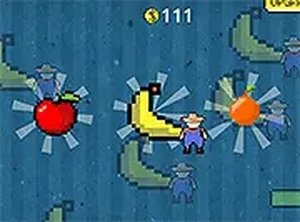
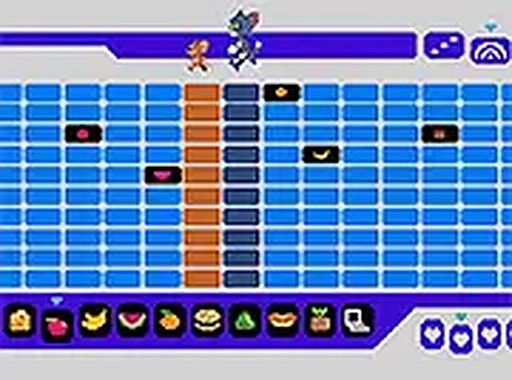
Tom and Jerry Music Maker is a creative online game where you become a DJ. You place different objects like fruits and items on a track. Each object makes a unique sound. Tom and Jerry run across the DJ box, triggering those sounds with each step. The result is a fun, custom electronic music track you can play and enjoy.

How to Play

To play, start by choosing sound objects from the selection. Drag and drop them onto the DJ box track in any order. Watch as Tom and Jerry run across the box, making sounds with each step. Try different arrangements to create new beats. The game is easy to learn and suitable for all ages.

Game Features

Fun music creation with simple drag-and-drop controls. Tom and Jerry characters add charm and movement. Endless combinations of sounds keep the experience fresh. Perfect for kids and families who enjoy music and creativity.

Tips for Success

Experiment with different object placements to discover unique sound combinations. Listen carefully to how each object contributes to the overall beat. Try arranging objects in patterns to create rhythm. Share your music with friends for fun feedback. Practice regularly to improve your timing and creativity.


Compatibility

This H5 game runs smoothly on:
• Desktop computers (Windows / Mac) • Mobile phones (iPhone / Android)
• Tablets (iPad / Android)
🌐 Best experienced with Chrome, Safari, or Edge
Faq
Is this game free to play?
Typically, online music maker games like this one are free to play on their hosting website. However, some sites may include optional in-game purchases or require an account. We recommend checking the specific site for details.
Can I save my music creations?
Many online music games allow you to save or share your tracks. This game may offer a save feature or a way to record your creation. Check the game interface for options like a save button or share link.
What devices can I play this game on?
Since it is an online game, it usually works on any device with a modern web browser, including computers, tablets, and smartphones. Touch controls may be available for drag-and-drop on mobile devices.
Do I need any musical skills to play?
No musical skills are required. The game is designed for all ages and skill levels. Simply drag and drop objects to create sounds, and the characters will trigger them automatically. It is all about experimentation and fun.
How many different sounds can I use?
The game includes a selection of sound objects, such as fruits and items, each producing a unique sound. The exact number is not specified, but you can combine them in many ways to create different beats.
Is there a time limit or score in the game?
Based on the game description, there is no mention of a time limit or scoring system. The focus is on creative music making rather than competition. You can play at your own pace and enjoy the process.
Advertisement