

Realistic Parking Environments
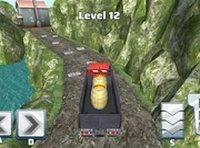
The game places players in a three-dimensional setting where every parking space feels distinct. Surfaces reflect light, and the vehicle responds to steering inputs with a sense of weight. This attention to detail makes each maneuver feel grounded, as though you are controlling a real vehicle rather than a simplified icon. The visual feedback helps players understand how their actions translate into movement.
Camera Controls for Better Views
Switching perspectives is essential for judging distances. By pressing a key or using on-screen buttons, players can shift from a top-down view to a rear or side angle. This flexibility allows you to see the parking zone from multiple directions, making it easier to align the vehicle. Choosing the right camera angle can turn a tricky spot into a manageable challenge.
Progressive Level Design
Early stages offer generous spaces and straightforward layouts, letting players get comfortable with the controls. As you advance, parking zones become narrower and obstacles appear more frequently. Some areas require reversing into position, while others demand a series of small adjustments. This gradual increase in difficulty keeps the experience engaging without becoming frustrating.
Keyboard-Based Controls
The game is designed for desktop play, using arrow keys or WASD for movement. Acceleration and braking are responsive, and turning requires a light touch. Overcorrecting can lead to hitting a barrier, so smooth inputs are rewarded. The control scheme is simple enough for newcomers but offers enough nuance for those seeking precision.
No Downloads Required
Everything runs directly in the browser, making it easy to start a session without installing software. A full-screen mode is available to minimize distractions. Because the game is optimized for desktop computers, performance remains stable even during complex maneuvers. This accessibility encourages repeated play.




Comments
0 comments